

To support reconciliation, reporting, and auditing, Brick provides two ways to access your transaction history:
Transaction list on Dashboard
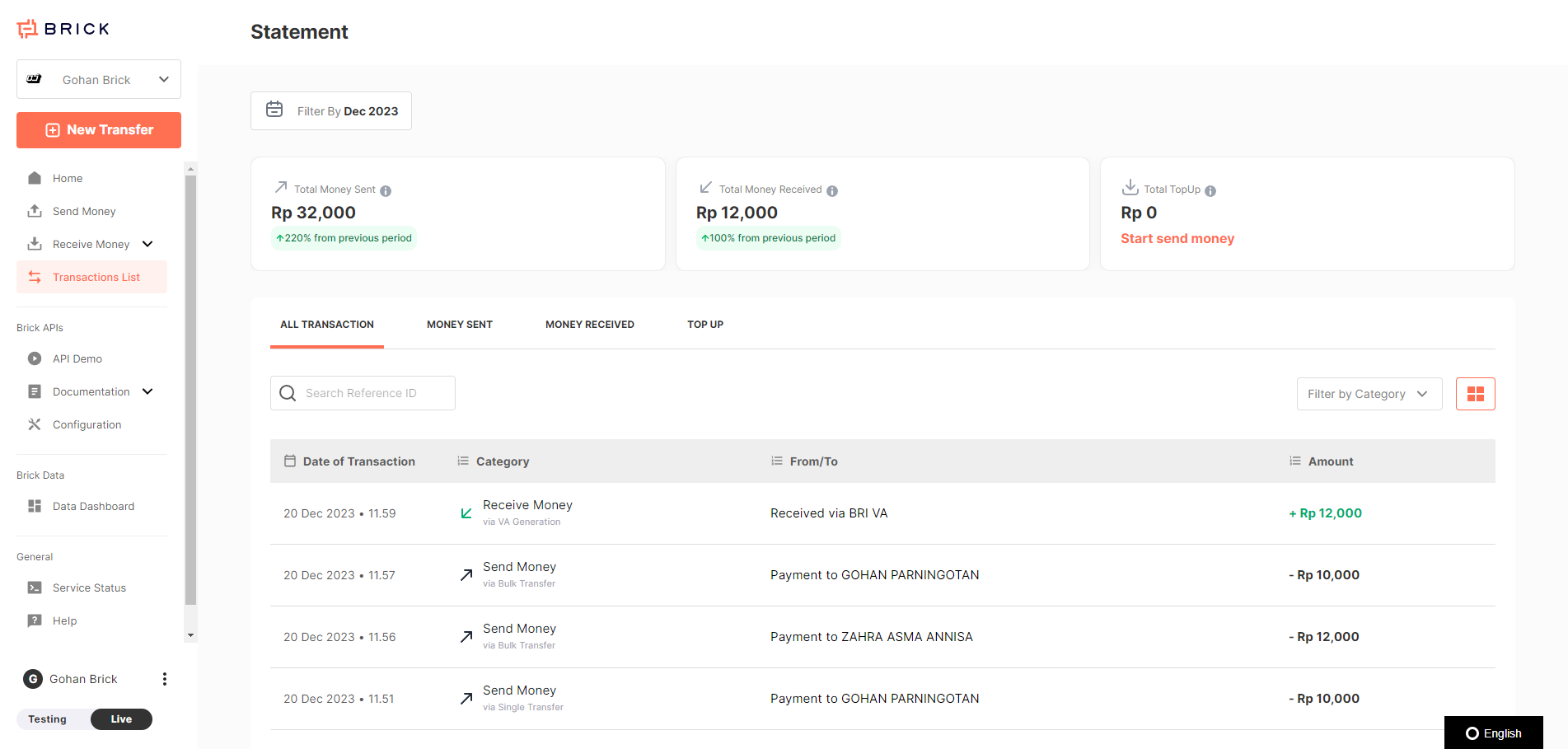
You can view and manage your full transaction history directly in the Brick Dashboard:
- Go to the Transaction List section from the sidebar
- Transactions are automatically categorized by type:
- Money Sent (Disbursement)
- Money Received (Acceptance)
- Top Up
You can also:
- Filter transactions by type, month, and status
- View summary statistics for selected periods
- Export data as needed for internal records
Retrieve Data Programmatically with the Ledger API
Retrieve transactions filtered by:
- Date range
- Transaction status
- Reference ID
Supports pagination: You can fetch 100–2,000 records per page
Ideal for: - Automated reconciliation scripts
- Data pipelines for financial dashboards
- Monthly reporting tools
Whether you're monitoring disbursements manually or automating financial workflows, Brick provides the tools to keep your records accurate and up to date!