

This guide explains how to access BAV (Bank Account Validation) usage history in the Brick Dashboard, view validation records, and download monthly usage reports.
How to Access Usage History Page
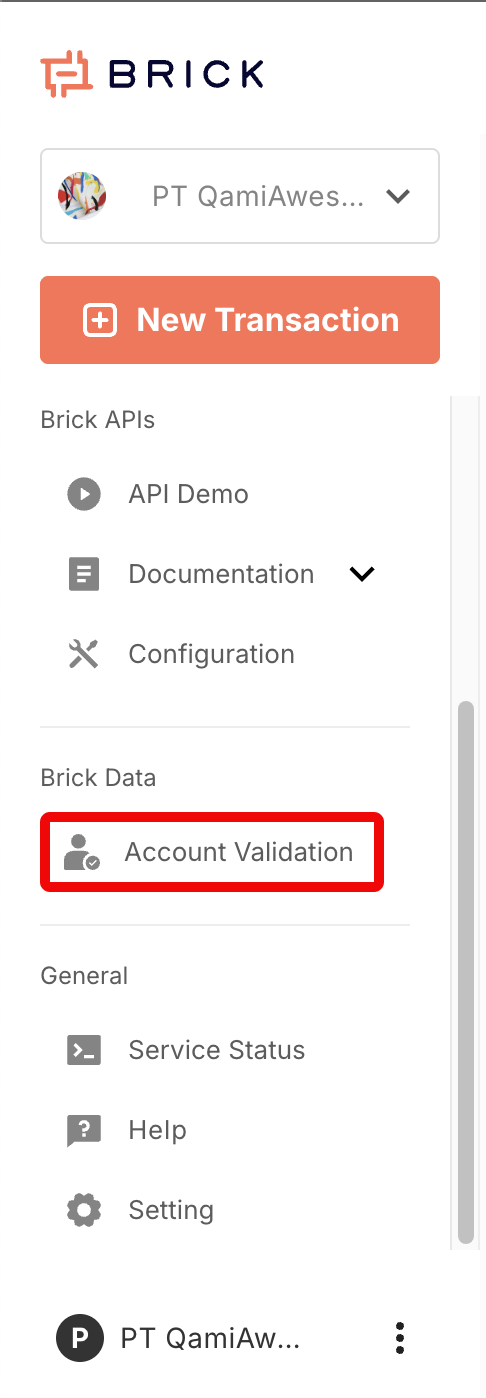
Open the Account Validation menu
- Log in to the Brick Dashboard.
- On the left sidebar (navbar), find the Brick Data Application section.
- Click Account Validation.
View validation history
After opening Account Validation, you will see a table containing the history of bank and e-wallet account validation.
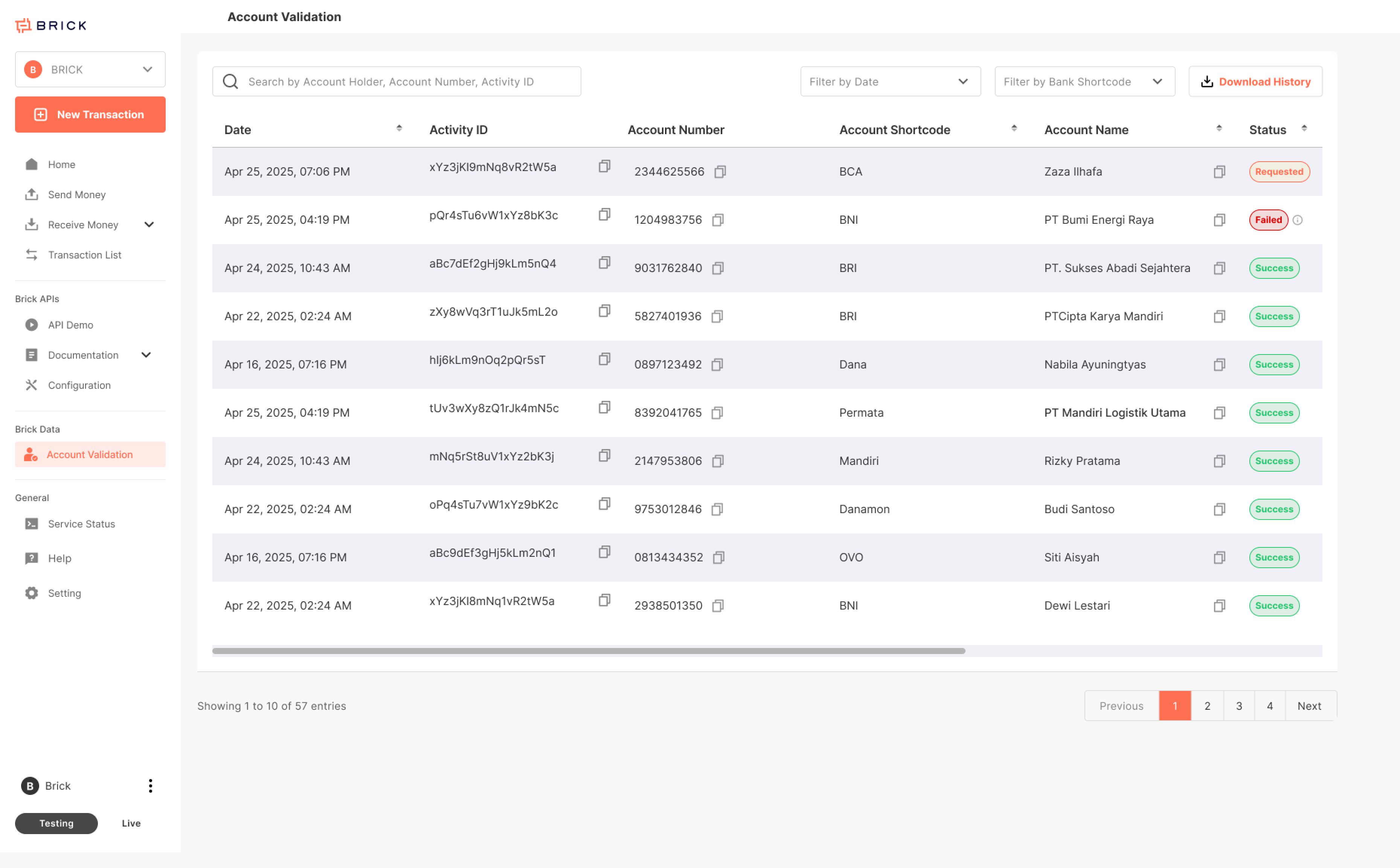
Status in Usage History Table
| Status | Description |
|---|---|
| Requested | Account validation in progress. |
| Success | Status 200, successfully validated. Additional notes apply if an account name (beneficiary holder) is received. |
| Failed | Non-success status or validation failure. For full details, refer to the result sample section at /brickdata/bank-account-validation/account-verification-api. |
What you can do on this page:
1. Search records using the search bar (e.g., by Account Holder, Account Number, or Activity ID).
2. Filter by date using the date filter dropdown.
3. Filter by bank/ewallet provider using the bank shortcode filter dropdown.
4. Review key details in the table, such as: Date, Activity ID, account Number, Account Shortcode (Bank/eWalllet Name), Account Name (returned result), Status (e.g., Requested / Success / Failed)
Missing from navigation bar?
The Account Validation usage history page is limited to Account Validation clients. If you are a user and cannot locate this page, please contact our sales or technical team.
Download monthly BAV usage report (Excel / CSV)
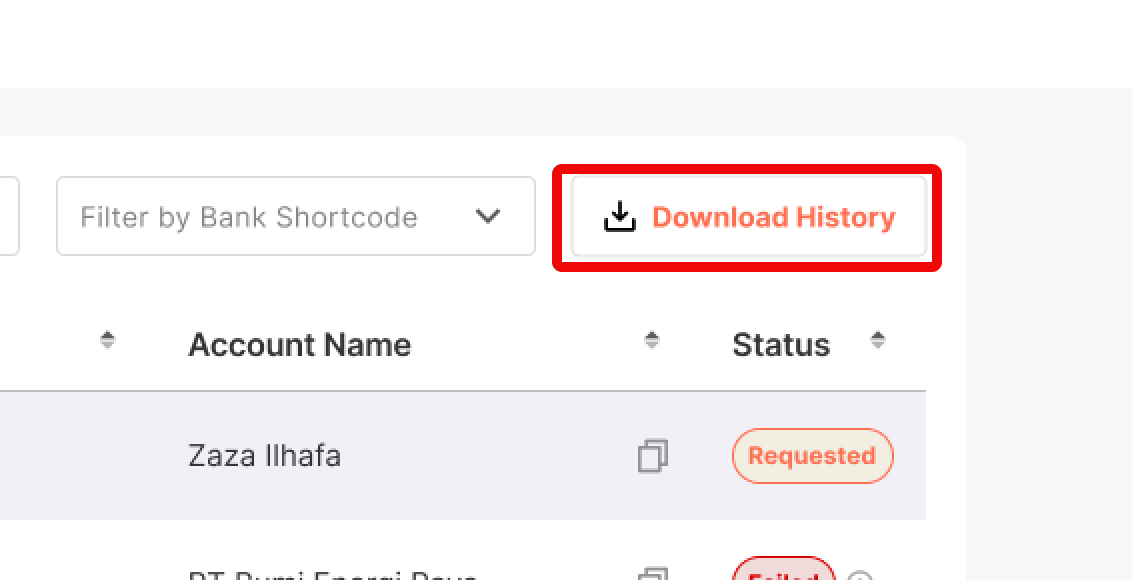
- From the Account Validation page, click Download History (top-right).
-
You will be redirected to the Download Monthly Usage Report page.
-
Find the month you want to download.
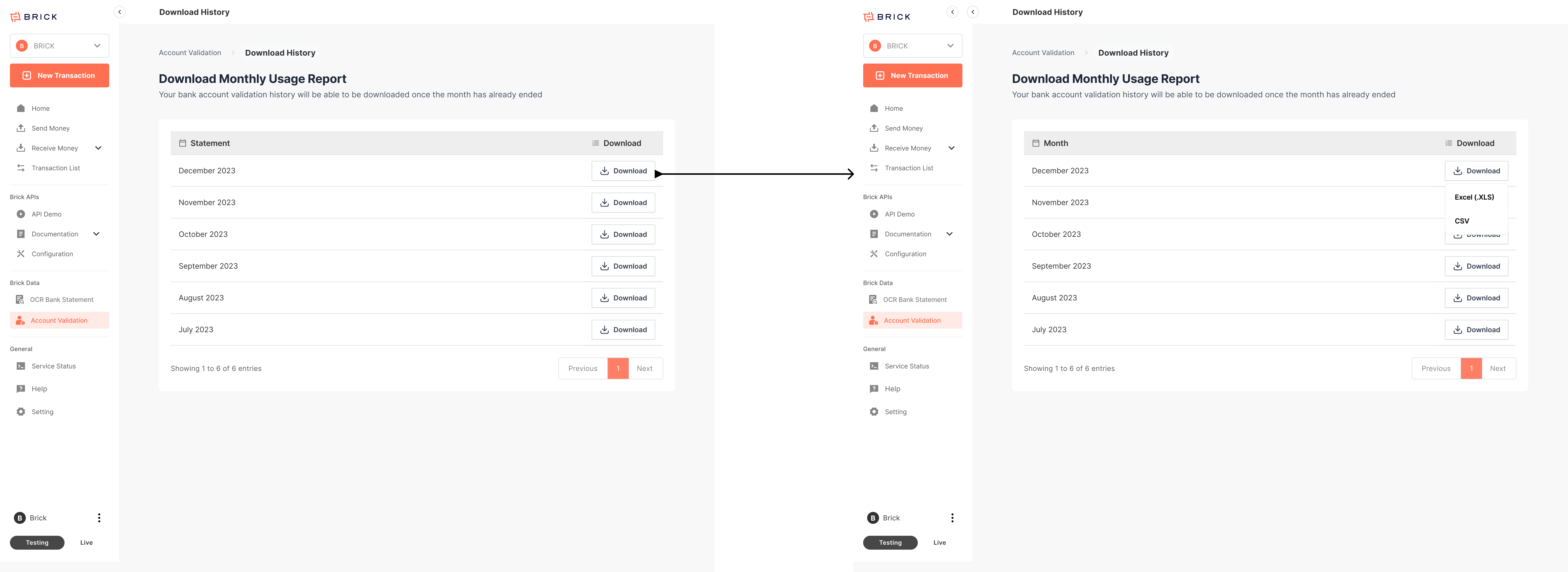
- Click Download on that row.
- Select the file format Excel (.xlsx), or CSV (.csv)
This guide explains how to access BAV (Bank Account Validation) usage history in the Brick Dashboard, view validation records, and download monthly usage reports.
Note: Monthly statements can be downloaded once the month has ended.
Monthly usage history email
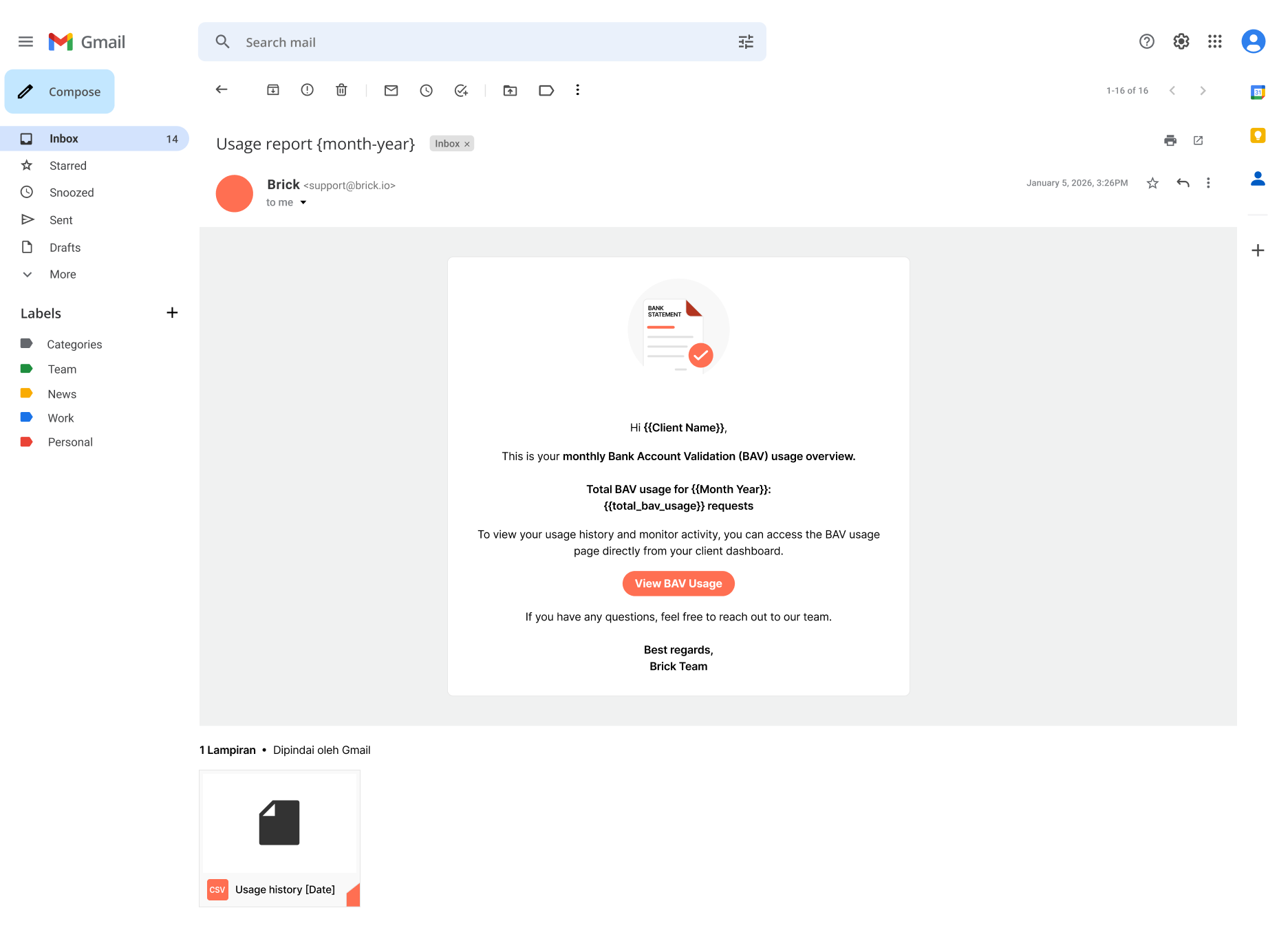
Monthly Account Validation usage reports are emailed on the 5th at 8:00 AM to the registered Brick account email.