

Bulk Disbursement in BRICK enables businesses to transfer funds to multiple beneficiaries in a single batch process.
Use Cases
-
Payroll distribution
Send monthly salaries to many employees in one batch upload (one file → many transfers), with per-employee status tracking and downloadable reports for reconciliation. -
Vendor payments
Pay multiple suppliers/partners on the same cycle (weekly/monthly) using a single batch, reducing manual bank transfers and ensuring consistent payment records. -
Cashback / incentives
Distribute cashback, promotions, referral rewards, or campaign incentives to large customer lists, with unique reference IDs for audit and tracking. -
Loan disbursement
Disburse loans to multiple borrowers at once (e.g., daily approvals), with clear success/failed status per borrower and retry via failed-only re-upload. -
Mass payouts
Handle high-volume payouts such as creator payouts, gig-worker payouts, refunds, claims, or tournament rewards—processed asynchronously with callback updates and exportable reports.
User Guideline
Step 1 - Batch Creation
- User navigates to Disbursement → Bulk Disbursement
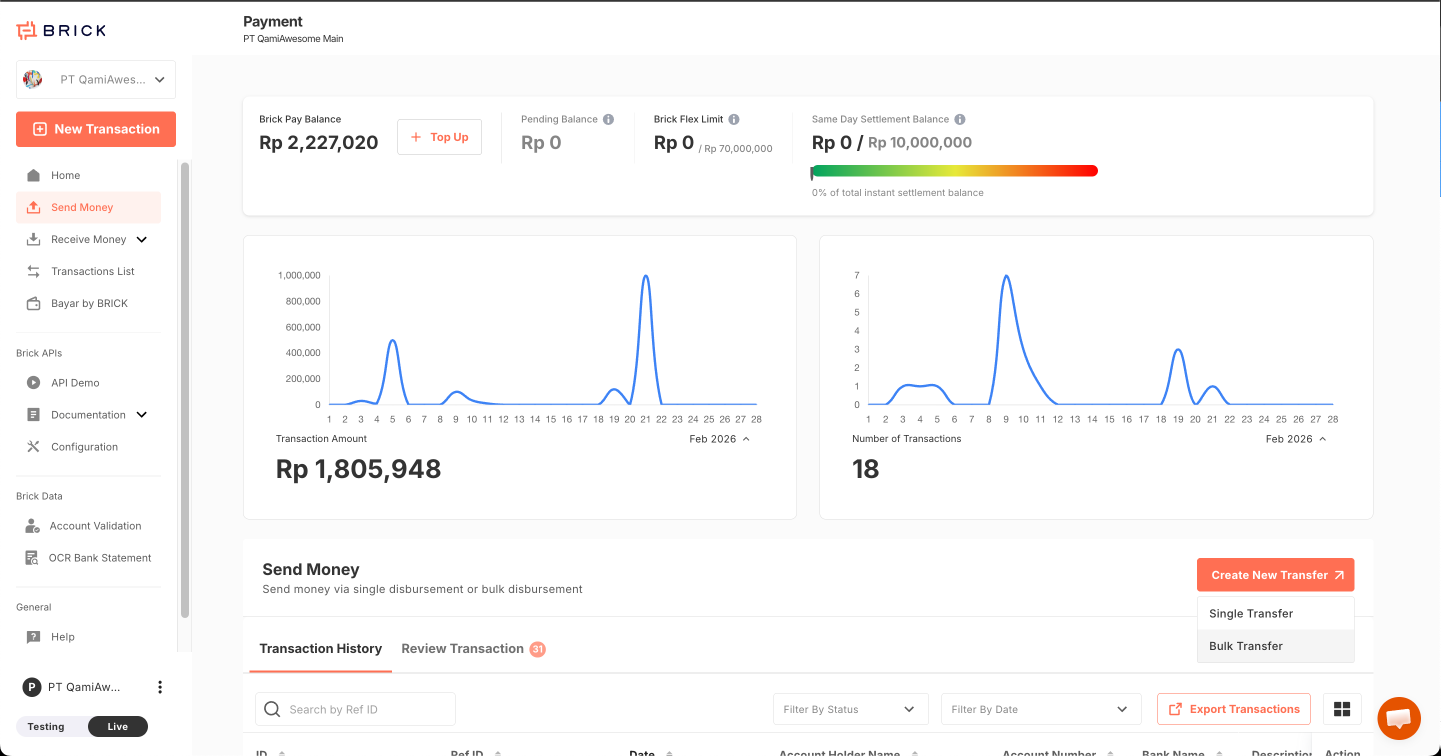
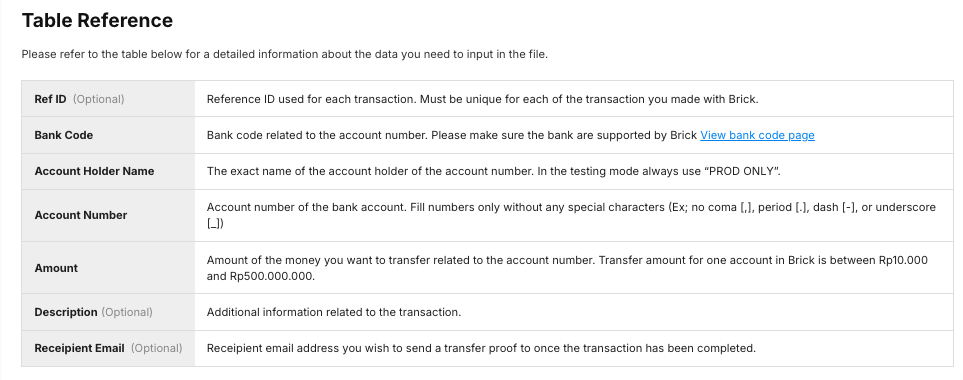
- Fill batch details using a CSV/XLSX bulk transfer file. Use one row per transfer and include the required destination and transfer details:
| Field | Description |
|---|---|
| referenceId | Unique transfer reference for reconciliation. |
| amount | Transfer amount. |
| bankShortCode | Destination bank or payment shortcode. See List of Bank Coverage. |
| bankAccountNo | Recipient destination account number. |
| bankAccountHolderName | Recipient account holder name. |
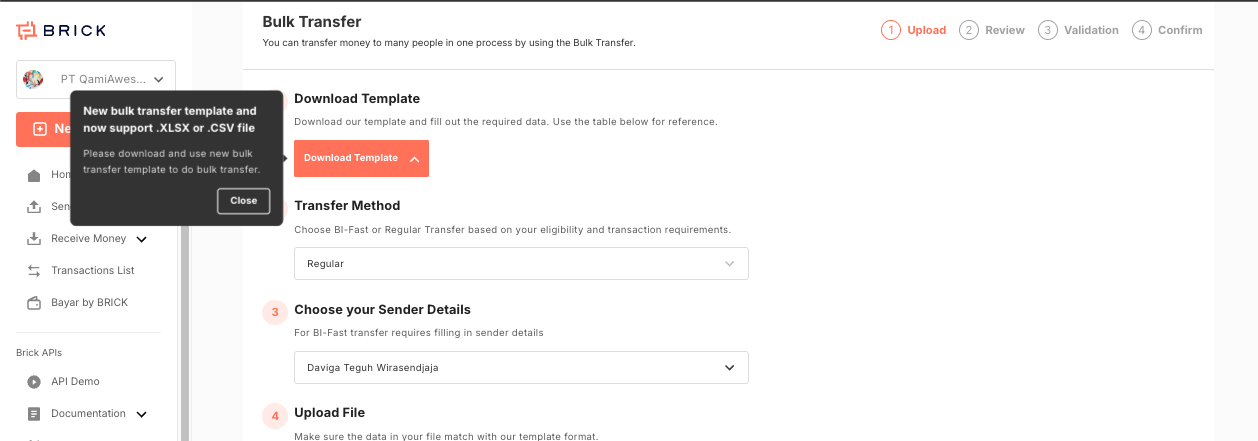
- Upload bulk file (CSV/XLSX)
- System saves batch as Draft.
Step 2 - File Validation
After file upload, system performs:
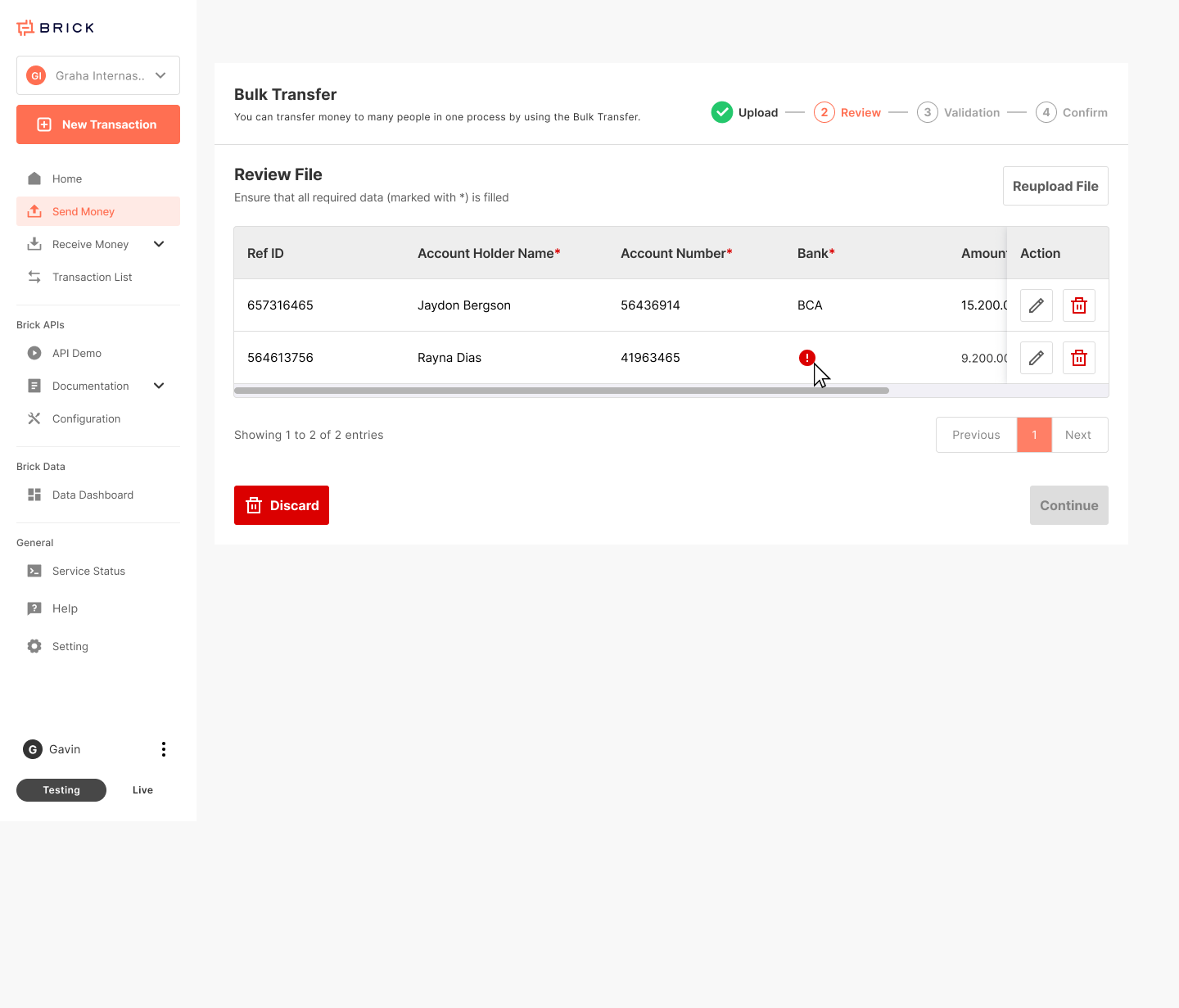
A. Format Validation
• Required columns check
• File structure validation
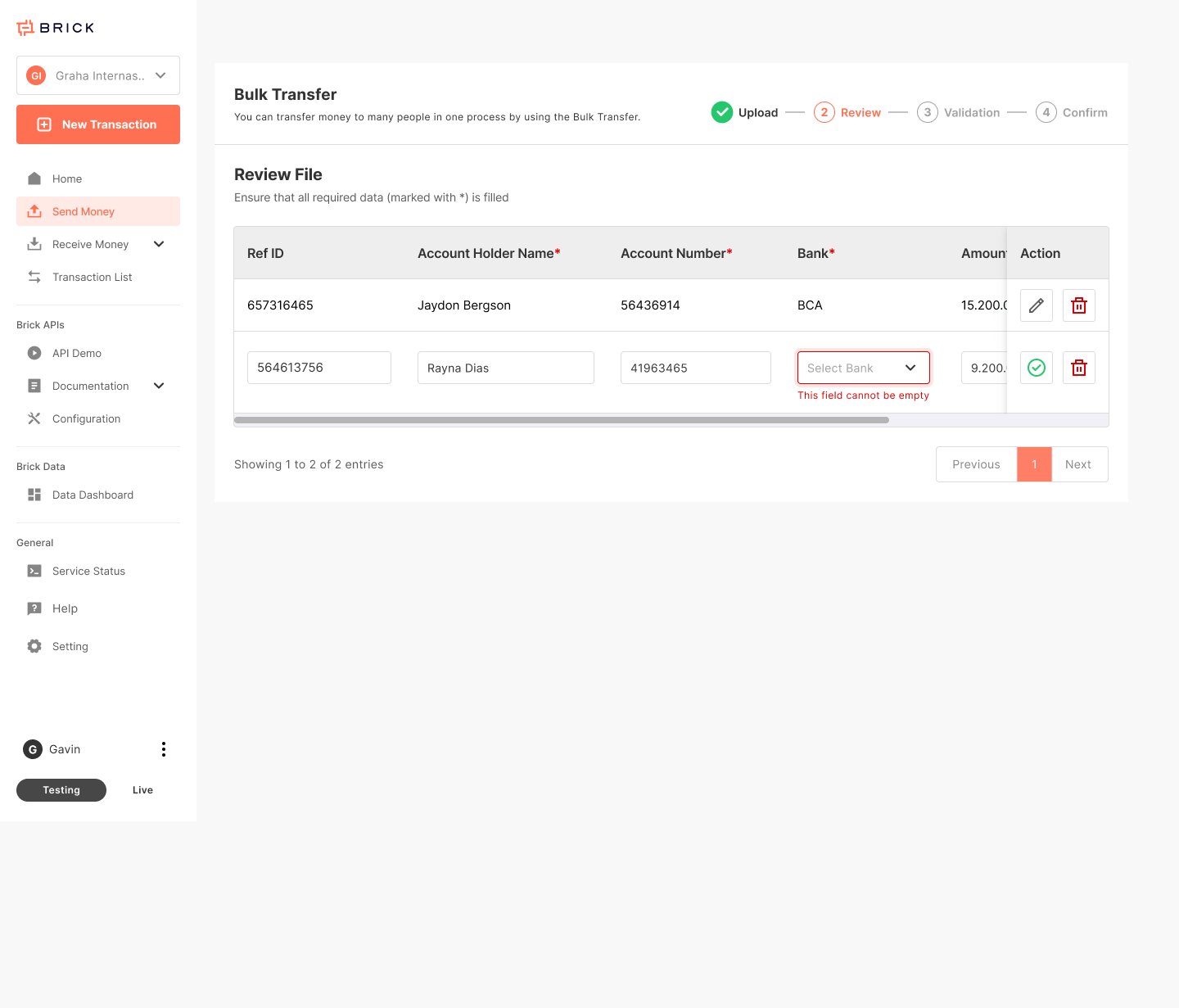
B. Data Validation
• Mandatory fields
• Duplicate reference check
• Amount > 0
• Bank code validity
• Account number format
C. Balance Check
• Sufficient wallet balance
D. (Optional) Account Validation
• Bank Account Verification (BAV)
Result:
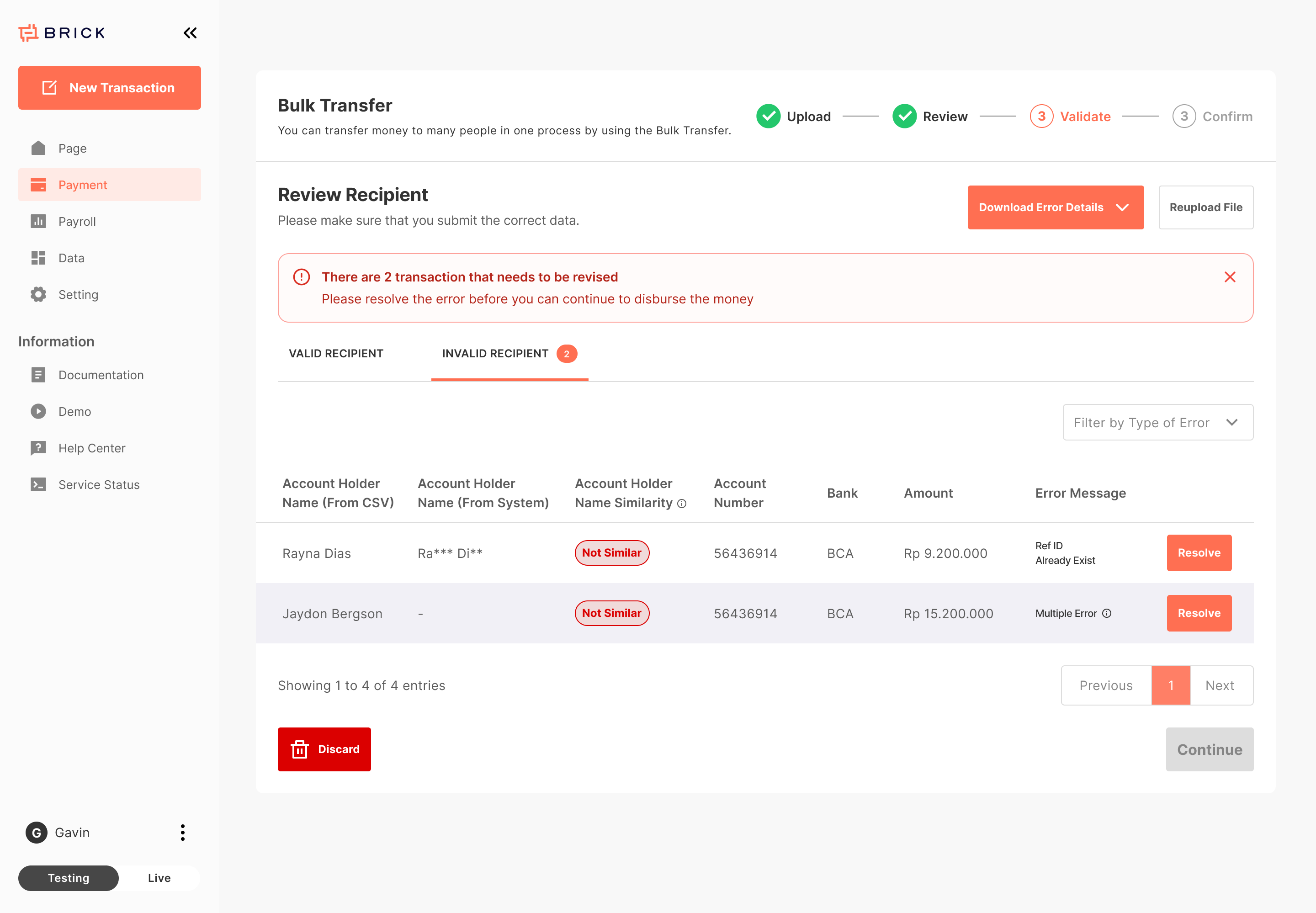
If failed → Batch remains Draft
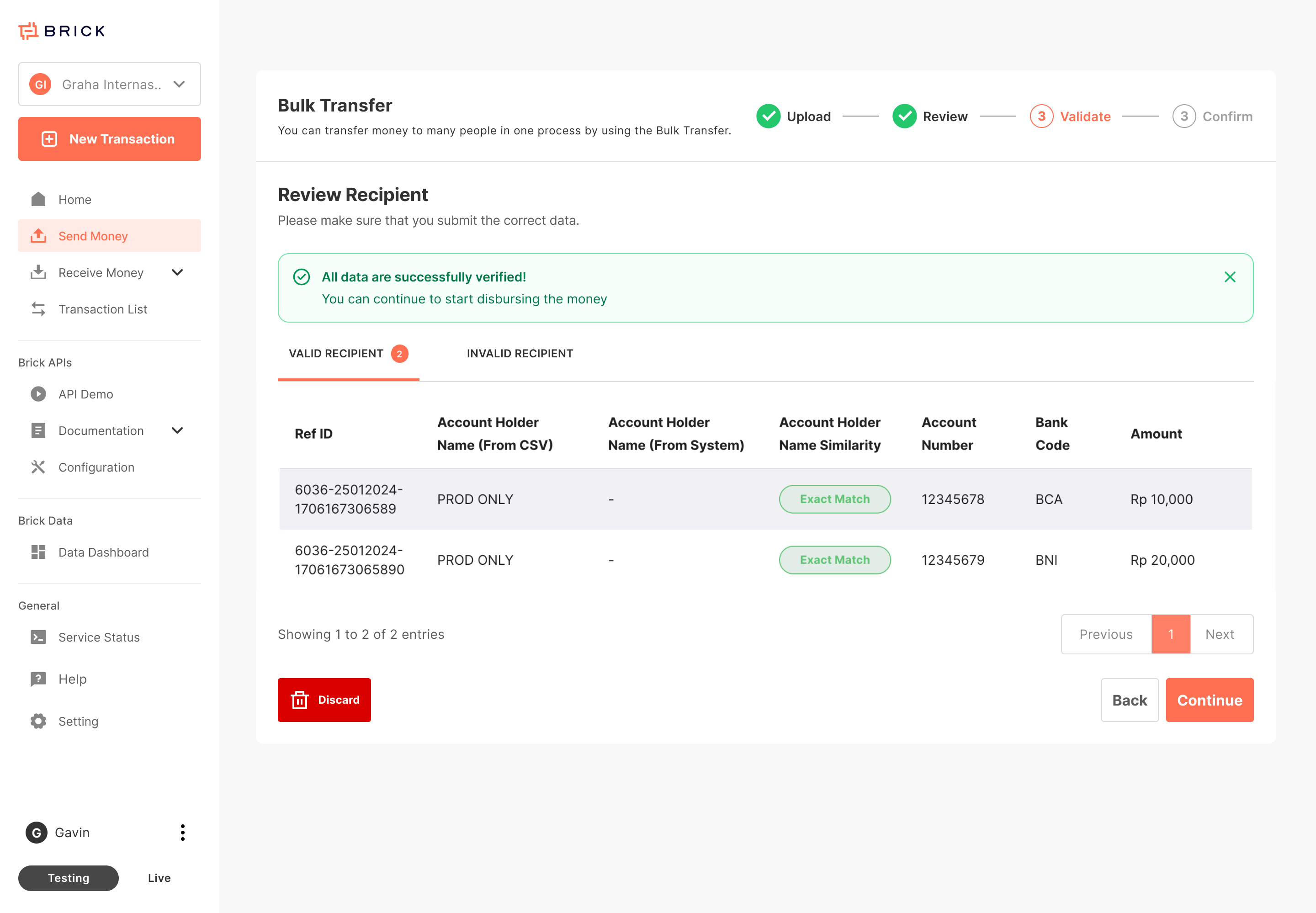
If passed → Status becomes Validated
Step 3 - Confirmation
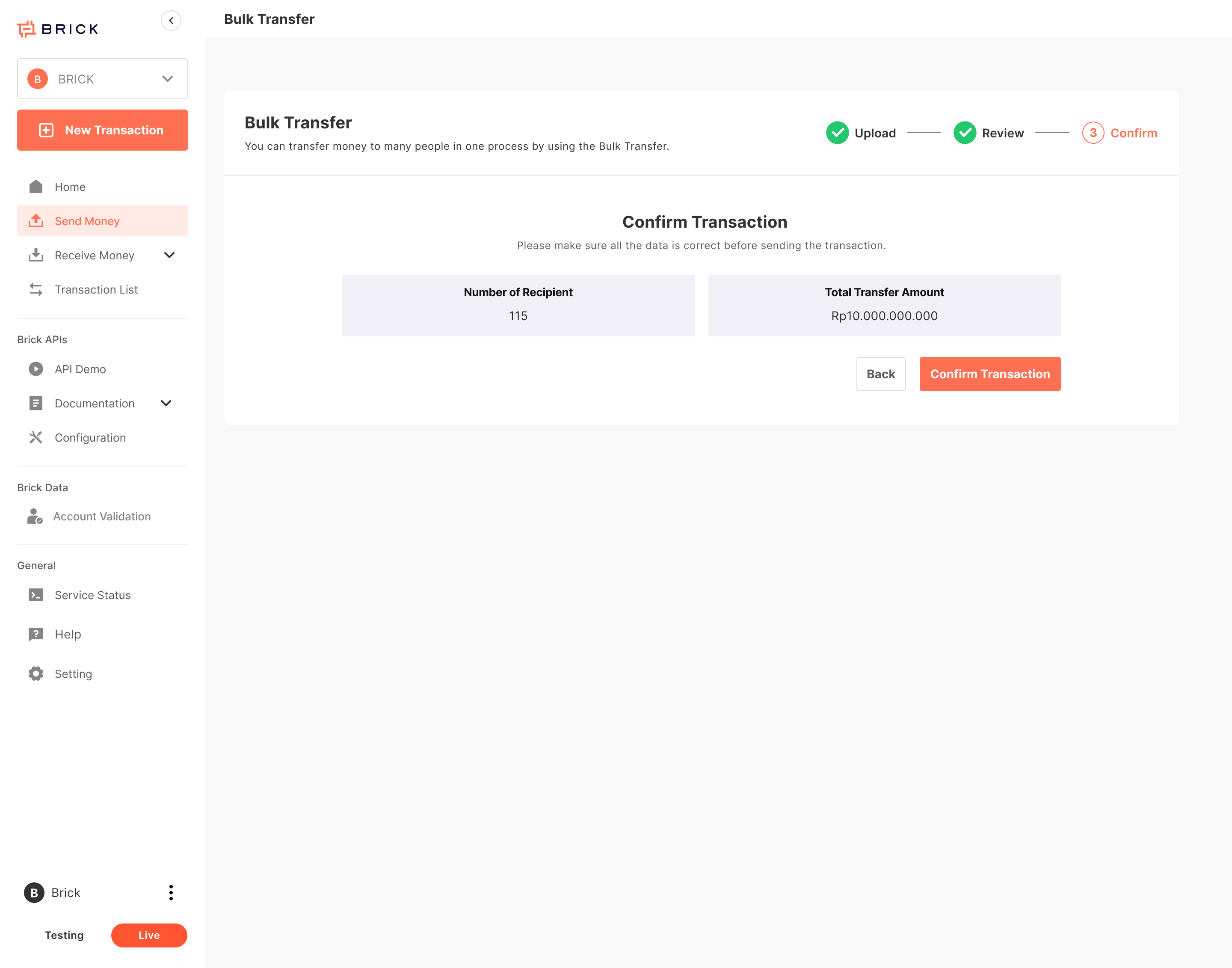
- User reviews:
- Total records
- Valid / failed records
- Total amount
- Click Confirm
Step 4 - Processing
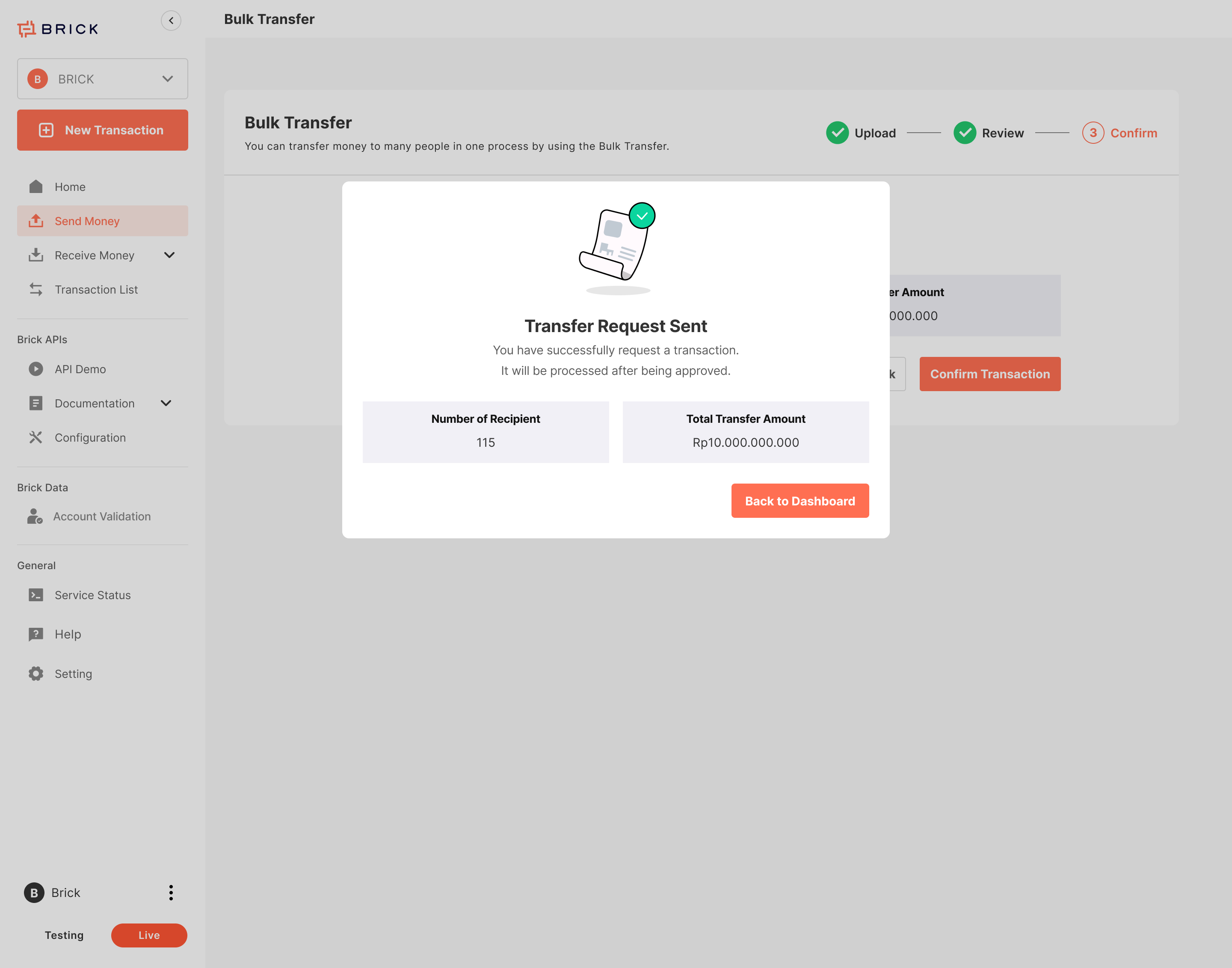
If Maker–Checker enabled: Status → Waiting for Approval (Transfer Request Sent)
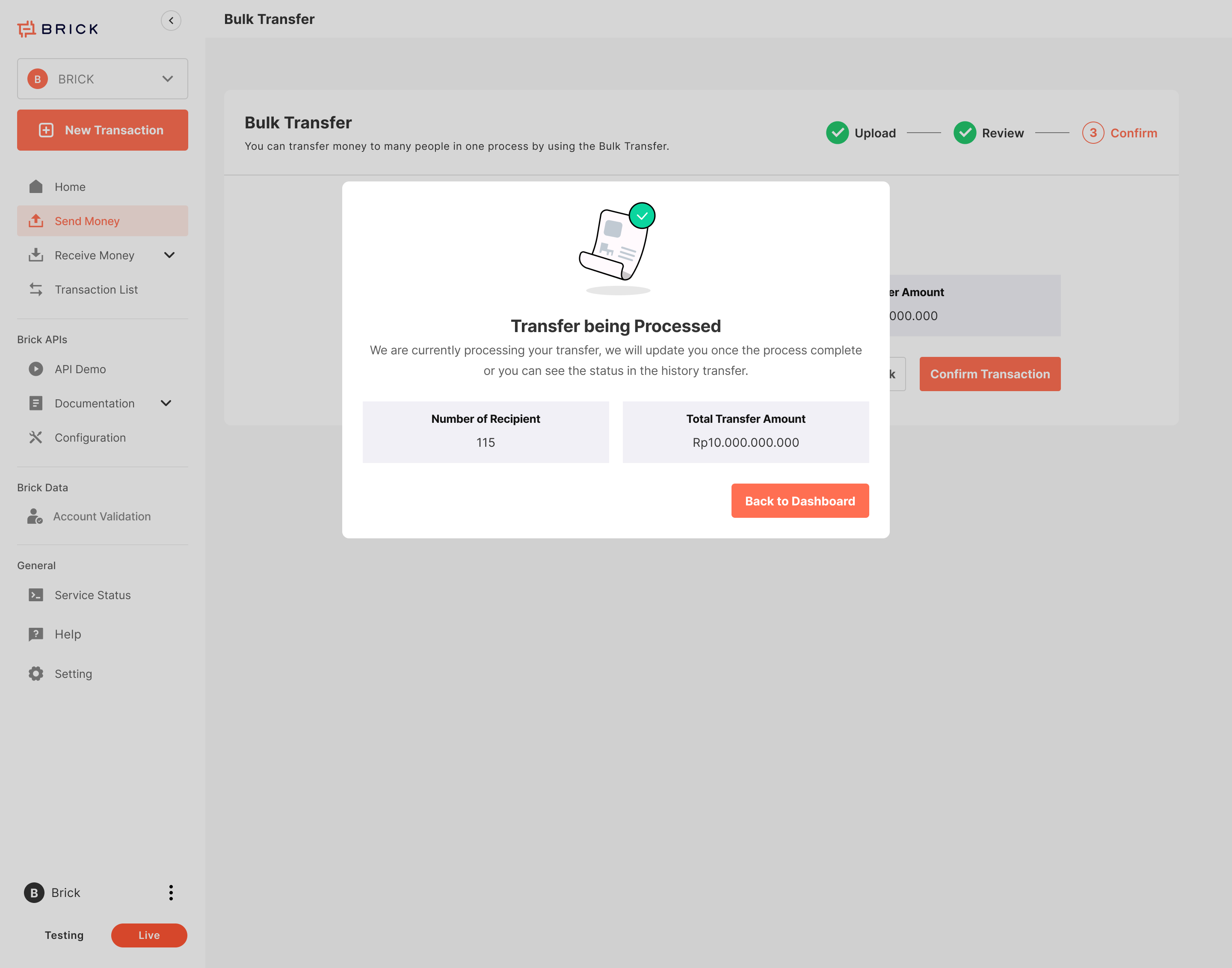
If no approval required: Status → Approved (Transfer being Processed)