

Manage multiple clients or business units under one Brick account with independent balances and credentials.
Who should use Subaccount?
1. Businesses Managing Multiple Clients and Multi-Location
Subaccounts are designed for businesses managing multiple entities or operating across various branches, franchises, or brands. They allow you to keep data isolated and secure for each entity, streamline transaction reconciliation, generate entity-level reports without data overlap, configure API keys and callback URLs per subaccount, and maintain centralized oversight while ensuring operations remain clearly segmented. 🚀
How to create a subaccount?
- Go to the Settings page in your Brick Dashboard (located at the bottom of the sidebar)
- Select the Sub-Account tab
- Click the Add Sub-Account button and follow the guided form
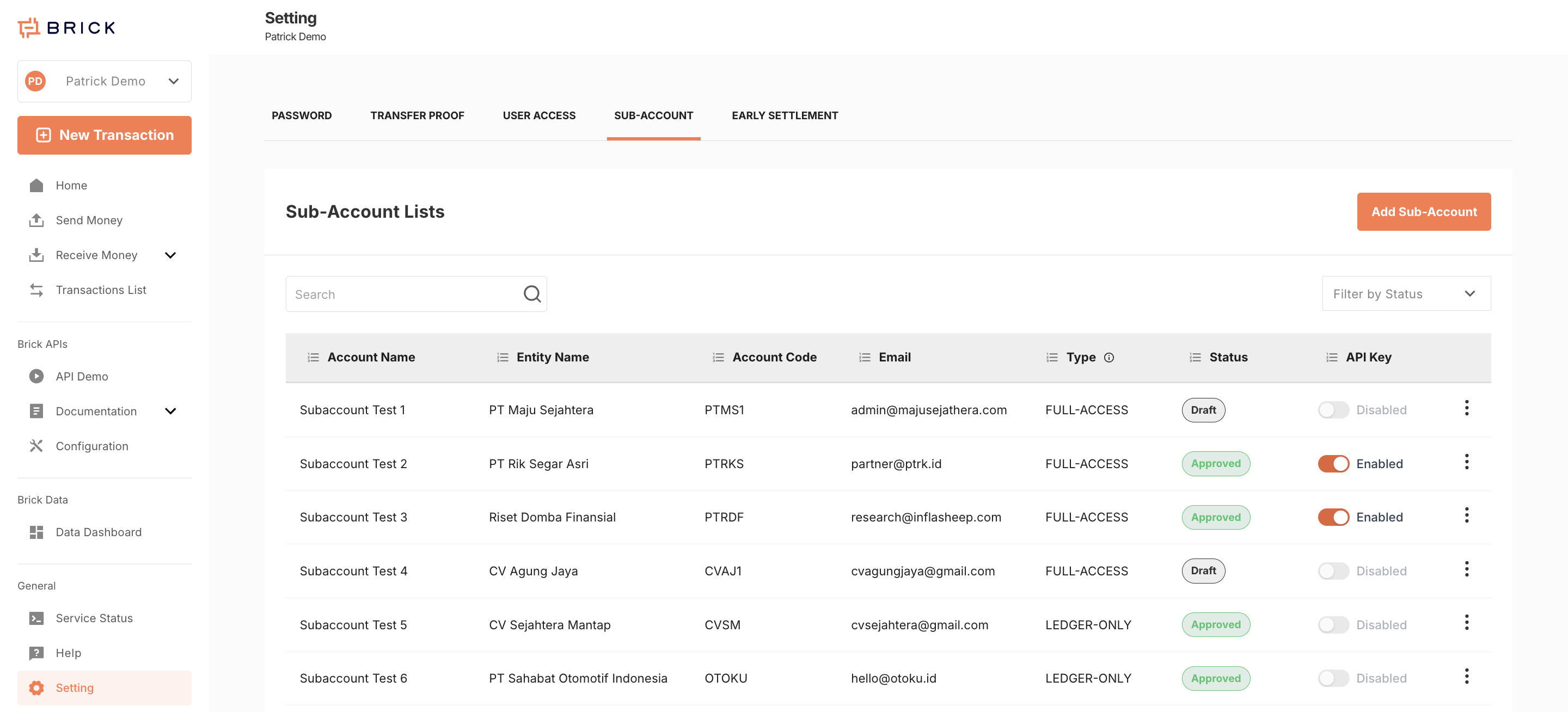
Once created, you can switch between the main account and subaccounts via the dropdown in the top-left corner of the dashboard.
Subaccount Specifications
- Each subaccount has its own:
- Balance
- Top-up VA number
- Transaction history
- API credentials
- Subaccounts are logically and operationally separated
- Switching views in the dashboard changes the context: data shown belongs only to the active account
- All users within your Brick organization have access to all subaccounts
- Currently, subaccounts are only manageable via the dashboard (API access coming soon)
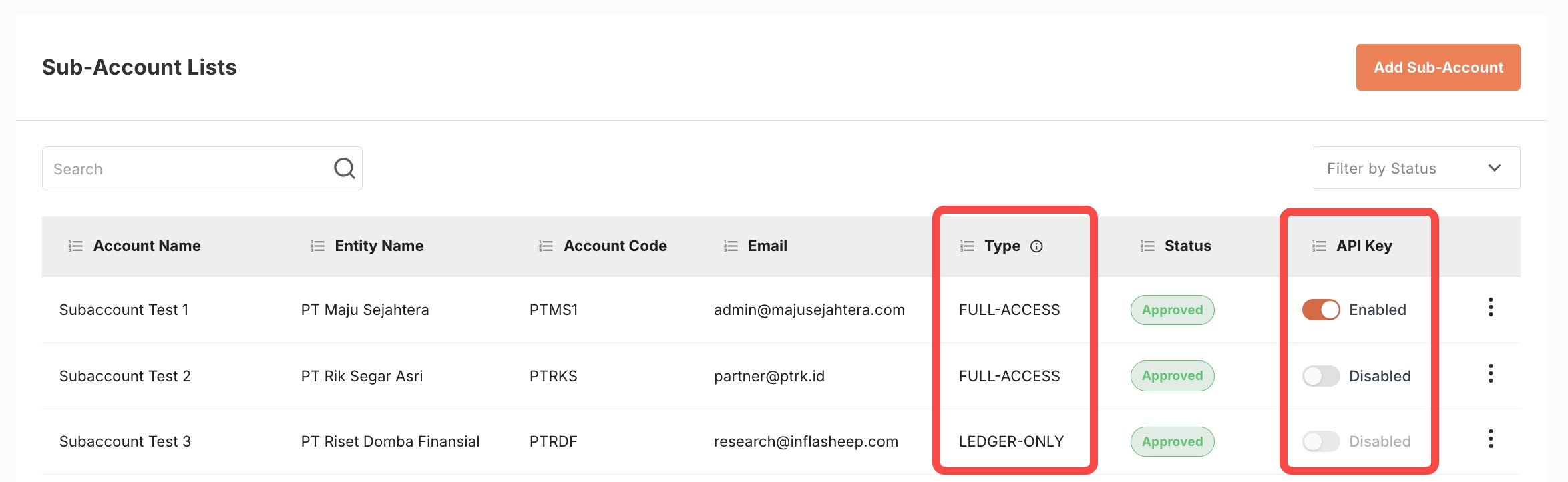
Subaccount Types
-
Full-Access Subaccount
- Can have its own API credentials (client ID and secret)
- Can activate its API key after completing KYB verification
- API key status (active/inactive) is controlled by the main account
-
Ledger-Only Subaccount
- Created by default
- Cannot use APIs directly but can perform transactions via the dashboard
API Integration: Subaccount Example
Let’s say you're a payroll company managing 3 clients: Company A, Company B, and Company C. Here’s how you’d set it up with Brick:
- Create one subaccount for each client from the dashboard.
- For each subaccount, switch to it using the top-left dropdown, then:
- Go to Configuration → API Credentials and note the
client_idandclient_secret - Set your Callback URL under the Callback URL tab (e.g., Disbursement Callback URL), then click Save
- Go to Configuration → API Credentials and note the
- Repeat step 2 for all subaccounts
- In your backend system:
- Pair each subaccount’s credentials with the corresponding client profile
- Use the assigned credentials when calling Brick APIs per client
- For each subaccount, top up their balance individually:
- Each has a separate virtual account number
- You’ll need to top up balances separately in Live Mode
- In Testing Mode, use the Add Test Balance button on each subaccount homepage to simulate funds
Subaccounts make scaling your operations more modular, auditable, and secure—without complicating your infrastructure.
Please check this document for the B2C sub-account management settings.